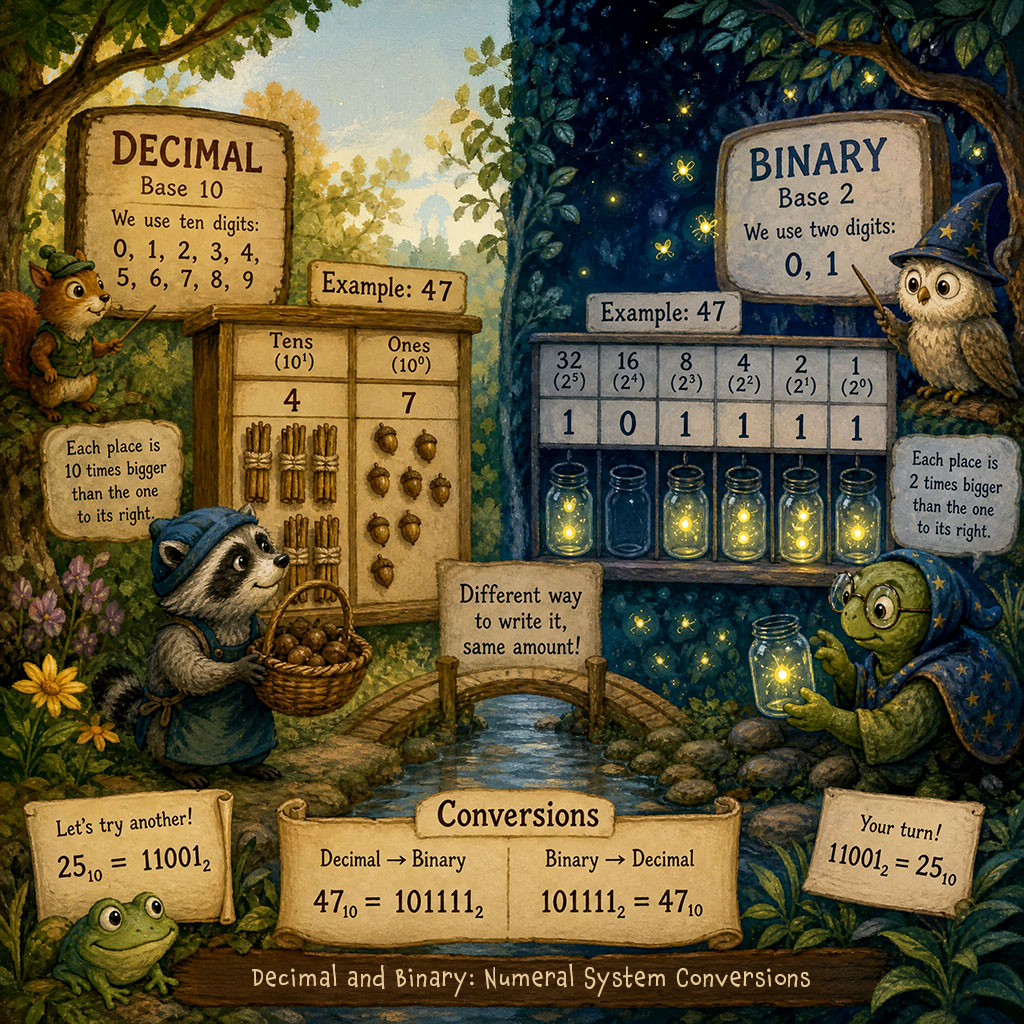
Number systems are the foundation of how computers represent information. While people typically work with decimal numbers, computers use binary to store and process data. Learning how to convert between numeral systems such as decimal and binary deepens an understanding of how computers interpret information.
Converting Decimal to Binary
Decimal uses 10 digits, and binary uses 2. How can a decimal number be converted to binary?
| Base 10 | Base 2 | |
| Dolphin Flippers | 2 | 10 |
| Sides of a Square | 4 | 100 |
| Days in a Week | 7 | 111 |
| Planets (incl. Pluto) | 9 | 1001 |
Divide by Two Method
One way to convert from decimal to binary is to divide a decimal number by 2. If there is a remainder, mark it down as 1. If there is no remainder, mark it as 0. Repeat division by 2 until the quotient is 0. Write the remainders in the reverse order to get the binary number.
- Quotient: The number obtained by from the division of one number by another.
- Remainder: The amount left over after dividing one number by another.
Example: Convert Decimal 3 to Binary
What is the binary equivalent of the decimal number 3?
Steps:
- First, divide 3 by 2 = 1, with a remainder: 1
- Then, divide the quotient 1 by 2 = 0, with a remainder: 1
- Finally, write the remainders in reverse order: 11
Answer: the decimal number 3 is equal to 11 in binary.
The steps in a table:
| Division | Quotient | Remainder | |
|---|---|---|---|
| 3 ÷ 2 | = | 1 | 1 |
| 1 ÷ 2 | = | 0 | 1 |
Starting from the bottom, write the remainders: 11
Example Conversion: Decimal 25 to Binary
What is the binary equivalent of the decimal number 25?
Steps:
- First, divide 25 by 2 = 12, with a remainder: 1
- Next, divide 12 by 2 = 6, with no remainder: 0
- Then, divide 6 by 2 = 3, with no remainder: 0
- Next, divide 3 by 2 = 1, with a remainder: 1
- Then, divide 1 by 2 = 0, with a remainder: 1
- Finally, write the remainders in reverse order: 11001
Answer: the decimal number 25 is equal to 11001 in binary.
Here are the steps in a table:
| Division | Quotient | Remainder | |
|---|---|---|---|
| 25÷2 | = | 12 | 1 |
| 12÷2 | = | 6 | 0 |
| 6÷2 | = | 3 | 0 |
| 3÷2 | = | 1 | 1 |
| 1÷2 | = | 0 | 1 |
Starting from the bottom, write the remainders: 11001
Decimal Numbers 0 to 10 Converted to Binary
The table below shows the equivalent of the decimal numbers 0 to 10 in binary.
| Decimal | Binary |
|---|---|
| 0 | 0 |
| 1 | 1 |
| 2 | 10 |
| 3 | 11 |
| 4 | 100 |
| 5 | 101 |
| 6 | 110 |
| 7 | 111 |
| 8 | 1000 |
| 9 | 1001 |
| 10 | 1010 |
Guide Table Method (Subtraction)
Another method is to use a guide table and subtraction. This is a simple process because you only need to determine whether subtracting a value results in a positive number (or zero). The difference is the result obtained when one number is subtracted from another.
This is the basic set up of the table:
| 128 | 64 | 32 | 16 | 8 | 4 | 2 | 1 |
Creating the Guide
The guide table is created by using exponents to determine the values, then the values are written in descending order from left to right. For example, the first column on the right is 20 which is 1. Increase the exponent for the next column: 21 = 2.
Examples:
- 2⁰ = 1
- 2¹ = 2
- 2² = 4
- 2³ = 8
Continue increasing the exponent until you reach a value that is equal to or greater than the decimal number you want to convert. Then write the values in descending order from left to right, as shown in the guide table above.

Example Conversion: Decimal 57 to Binary
To convert the decimal number 57, we look at the highest number in our guide table that could be subtracted from 57 that will have a difference that is not a negative number.
1. First, can 128 be subtracted from 57 and leave a remainder that is not negative? No, so place a 0 over 128.
| 0 | |||||||
| 128 | 64 | 32 | 16 | 8 | 4 | 2 | 1 |
2. Next, can 64 be subtracted from 57 and leave a remainder that is not negative? No, so place a 0 over 64.
| 0 | 0 | ||||||
| 128 | 64 | 32 | 16 | 8 | 4 | 2 | 1 |
3. Then, can 32 be subtracted from 57 without a negative remainder? Yes, so place a 1 over 32 in the guide table.
| 0 | 0 | 1 | |||||
| 128 | 64 | 32 | 16 | 8 | 4 | 2 | 1 |
4. Next find the difference after subtracting 32 (the number in our guide) from our decimal number 57. The difference of subtracting 57 from 32 is 25 (57-32 = 25). The next cell in the guide table is 16. Subtract the difference (25) from 16. Can 16 be subtracted from 25 with a positive difference? Yes, so mark the cell above it with a 1.
| 0 | 0 | 1 | 1 | ||||
| 128 | 64 | 32 | 16 | 8 | 4 | 2 | 1 |
5. The next difference is 9. 25-16 = 9. Subtracting 8 from 9 will be a positive difference, so the next cell also gets a 1.
| 0 | 0 | 1 | 1 | 1 | |||
| 128 | 64 | 32 | 16 | 8 | 4 | 2 | 1 |
6. Then, subtracting 8 from 9 leaves 1. We can’t subtract 4 from 1 (and still have a positive number) so we mark the next cell 0.
| 0 | 0 | 1 | 1 | 1 | 0 | ||
| 128 | 64 | 32 | 16 | 8 | 4 | 2 | 1 |
7. Next, it is the same with 2 We mark that cell with a 0 also.
| 0 | 0 | 1 | 1 | 1 | 0 | 0 | |
| 128 | 64 | 32 | 16 | 8 | 4 | 2 | 1 |
8. Finally, we can subtract 1 from 1 without a negative remainder, so the last cell is marked with a 1.
| 0 | 0 | 1 | 1 | 1 | 0 | 0 | 1 |
| 128 | 64 | 32 | 16 | 8 | 4 | 2 | 1 |
So now we know that the decimal number 57 is equal to 111001 in binary!
- You can remove the leading zeroes and shorten the number to 111001.
- If you want to write the full number, it is: 0000000000111001.
Converting Binary to Decimal
Converting a number from a binary to decimal can be completed by using powers of 2.
For example, to convert the binary number 11 to decimal, start at the digit on the right and multiply it by 2. Then move to the next digit (to the left) and multiply that by 21. Each time you move to the left, you increase the exponent by 1. After completing this process with all digits, add the products (the result of a multiplication is called a product) together.
Example: convert binary 110 to decimal
- Start at the digit on the right (the 0). 0 multiplied by 2 = 0
- Move to the next digit (1). 1 multiplied by 21 = 2
- Move to the next digit (also a 1). 1 multiplied by 22 = 4
- Add the products together. 0 + 2 + 4 = 6
Here are the steps in a table:
| Digit | Multiplication | Product | |
|---|---|---|---|
| 0 | 0 x 2 | = | 0 |
| 1 | 1 x 21 | = | 2 |
| 1 | 1 x 22 | = | 4 |
Add the products: 0 + 2 + 4 = 6
Review Questions
Decimal to Binary
Can you convert these numbers from decimal to binary?
- 24
- 32
- 64
- 255
- 1024
Binary to Decimal
Can you convert these numbers from binary to decimal?
- 1100000
- 1011000110
- 11010100110100
- 10101010101010110
- 10000101010101010110
Decimal to Binary:
- 24: 00011000
- 32: 00100000
- 64: 01000000
- 255: 11111111
- 1024: 010000000000
Binary to Decimal:
- 1100000: 96
- 1011000110: 710
- 11010100110100: 13620
- 10101010101010110: 87382
- 10000101010101010110: 546134
Summary
Learning to convert between decimal and binary numeral systems provides insight into how computers represent data. There are several methods that can make the process easier, including using a guide table.