
Bits are the fundamental building blocks of digital data. Do you know why a bit (binary digit) is the smallest unit of digital information?
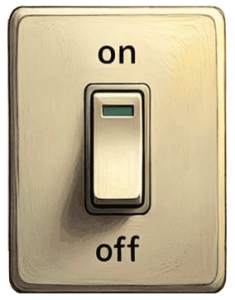
The word binary means two possible states or values; a bit can only be one of two things. For example, a quiz might ask whether a statement is true or false. Since there are only two possible answers, this is a binary question.
Another common example is a traditional light switch with two states (on or off). The switch cannot be both on and off. It also can’t be in between on and off. It must be either on, or off.
In computing and digital electronics, these two states are often represented by the numbers 0 and 1. By convention, 0 usually represents off, false, or the absence of a signal, while 1 represents on, true, or the presence of a signal.
Computers use binary because electronic circuits can reliably detect two electrical states, such as low voltage and high voltage. By combining many 0s and 1s, computers can represent numbers, letters, images, sounds, and software. Although a single binary digit (called a bit) can store only one of two values (0 or 1), groups of bits can represent a vast amount of information.
Bits, Bytes, and Nibbles
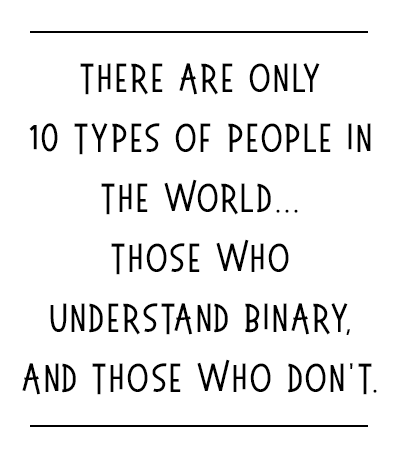
More bits means more information that can be represented with the binary system.
A byte is a sequence of 8 bits, enough to store a single character like the letter A. One byte can represent 256 different possible values (from 0 to 255). Half of a byte is called a nibble. A word is a group of 16, 32, or 64 bits that are processed together, though the exact size depends on the system. A word of thirty-two bits can represent a value between 0 and 4 billion.
To better understand how these units relate to each other, here is a simplified progression of bit sequences:
- Bit (b): A single binary value that can be either 0 or 1.
- Nibble: 4 bits.
- Byte (B): 8 bits.
- Kilobyte (KB): About 1,000 bytes.
- Megabyte (MB): About 1,000 kilobytes (about 1 million bytes).
- Gigabyte (GB): About 1,000 megabytes (about 1 billion bytes).
- Terabyte (TB): About 1,000 gigabytes (about 1 trillion bytes).
Decimal vs Binary
How many bits are in a terabyte? That may sound like a simple question, but determining how many bits are in a terabyte depends on which definition you use.
Using the decimal (SI) definition (the standard used by many drive manufacturers), 1 terabyte (TB) equals 10¹² bytes (1,000,000,000,000 bytes). Since 1 byte = 8 bits, a decimal terabyte contains 8,000,000,000,000 bits (8 trillion bits).
In contrast, the binary equivalent unit is actually called a tebibyte (TiB), not a terabyte. 1 TiB equals 2⁴⁰ bytes (1,099,511,627,776 bytes). Multiplying by 8 bits per byte gives 8,796,093,022,208 bits.
- 1 KiB = 1,024 bytes
- 1 MiB = 1,024 KiB
- 1 GiB = 1,024 MiB
- 1 TiB = 1,024 GiB
Standardized Binary Prefixes
The terms kibibyte (KiB, 210), mebibyte (MiB, 220), gibibyte (GiB, 230), and tebibyte (TiB, 240) were introduced specifically to avoid confusion with decimal SI prefixes (such as kilo).
New binary prefixes were introduced specifically to avoid confusion with decimal SI prefixes like kilo. These include kibibyte (KiB), mebibyte (MiB), gibibyte (GiB), and tebibyte (TiB).
- kibi Ki 210
- mebi Mi 220
- gibi Gi 230
- tebi Ti 240
- pebi Pi 250
- exbi Ei 260
- zebi Zi 270
- yobi Yi 280
Origin of “Bit”
The word “bit” is a portmanteau, a word blended from parts of two words, of “binary digit”.
In this case, it can be thought of as blending the “b” of binary and the “its” of digits. (A compound word, in comparison, keeps full words together, such as “sun” and “flower” to make sunflower.)
Discussion Questions
Why might a 1TB hard drive appear to have only about 90% capacity?
Hard drive manufacturers typically use the decimal definition, labeling drives in TB rather than TiB. Operating systems may display storage amounts using binary multiples, but label them as decimal (KB/MB/GB/TB) instead of the more precise binary (KiB/MiB/GiB/TiB). This is why a 1TB hard drive may appear to have only about 0.91 TB of usable capacity in some systems.
The prefix “kilo” refers to 1000, so how did it come to represent 1024 bytes?
Using “kilobyte” to mean 1,024 bytes is a historical convention that came before the standardized binary prefixes existed. The metric prefix kilo has always meant 1,000. Early computer engineers borrowed the term kilobyte to mean 1,024 bytes because computers use binary, and 1,024 (2¹⁰) is very close to 1,000 (10³); saying the word kilo was easier than saying 1, 024 bytes. This informal usage became widespread.
Review Questions
- What is the smallest unit of information in a computer?
- Why do computers use binary?
- How many bits are in a terabyte?
- Bonus trivia question: What is half a byte?
- A bit is the smallest unit of information in a computer. It can have one of two possible values: 0 or 1. It can also be described as any combination of two states (such as positive or negative, on or off, true or false, or open and closed).
- Computers use binary because electronic circuits can reliably detect two electrical states, such as low voltage and high voltage.
- There are approximately 8 trillion bits in one terabyte. An exact answer depends on whether you are using a decimal or binary definition.
- 1TB (decimal): 8,000,000,000,000 bits (or 1,000,000,000,000 bytes)
- 1TiB (binary): 8,796,093,022,208 bits (or 1,099,511,627,776 bytes)
- Half of a byte (4 bits) is called a nibble. The name is a play on words: a nibble is a smaller “bite” (byte).
Summary
A bit (binary digit) is the smallest unit of information in a computer. A bit can store one of two possible values: 0 or 1.
When something has exactly two possible states, it can be described as binary. Examples : true or false, yes or no, on or off, open or closed, 0 or 1.
The decimal (SI) definition (used by many drive manufacturers) states that 1 terabyte (TB) equals 1012 bytes. The binary definition says the equivalent unit is a tebibyte (TiB) and it equals 240 bytes.
- Decimal: KB/MB/GB/TB
- Binary: KiB/MiB/GiB/TiB
Expand Your Knowledge
- Binary Numeral System (Base-2)
- Decimal Numeral System (Base-10)
- Hexadecimal Numeral System (Base-16)
- Numeral Systems and Data Representation
- Decimal and Binary: Numeral System Conversions
- IEEE/ASTM Standard for Use of the International System of Units (SI): The Modern Metric System
- The International System of Units (SI), 2019 Edition

